
Business cards for Google Wallet and Android
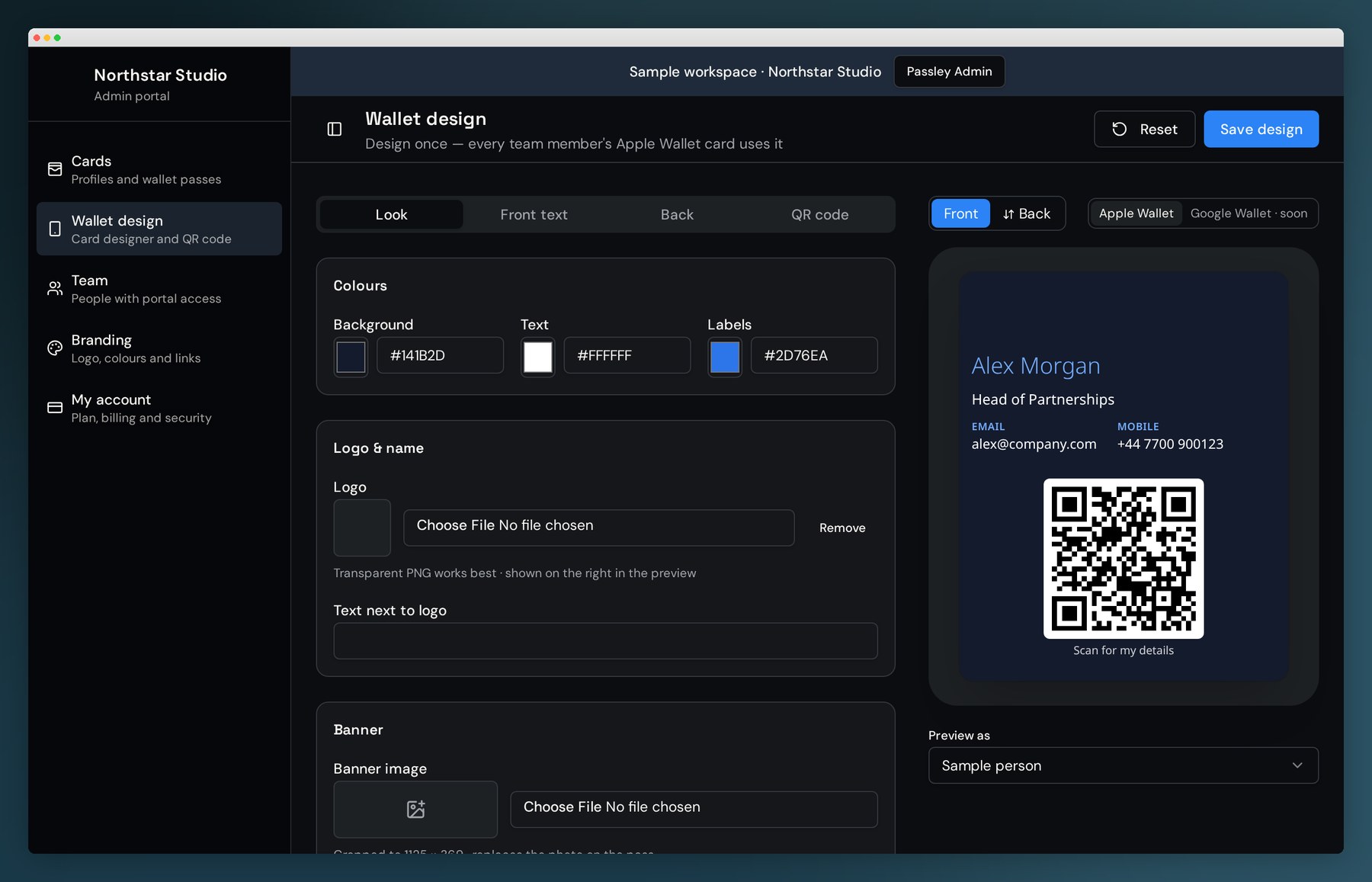
Half your team carries Android. Passley issues the same branded card to Google Wallet and Apple Wallet, so everyone shares the same details, the same design and the same QR code.
 Apple Wallet

Stop running two sets of business cards
Design your card once. Passley handles the differences between the two wallets so your brand looks the same on every handset in the company.
Android and iPhone
Mixed-device teams share one design, one admin and one set of details.
Change once, changes everywhere
New role, new number, new office — updated on every phone, not reprinted.
Scan to save
Your QR opens a profile page that saves straight into their phone's contacts.
Company-verified details
Published from a central admin, so nothing on a card is invented or out of date.
Bulk rollout
Import your directory, group by department and offboard leavers in one click.
Carbon negative
No printing, no plastic, no waste — we remove more carbon than we create.
Google Wallet business cards: your questions
- Can I add a business card to Google Wallet?
- Yes. Passley builds your card design once and issues it to Android phones through Google Wallet, so your contact details sit alongside boarding passes and loyalty cards.
- Do my contacts need an Android phone?
- No. Anyone you meet just scans your QR code or opens your link in a browser and saves your details in one tap, whatever phone they carry.
- Can one team use both Google Wallet and Apple Wallet?
- Yes, and most do. You design one card in Passley and it serves both wallets, so an Android sales rep and an iPhone director share the same branding.
- What if someone's details change?
- Update them once in the admin. Every profile page, QR code and wallet pass reflects the change, including passes already on phones.
- How much does a Google Wallet business card cost?
- Solo is free for one card. Team, Business and Enterprise plans add your own branding, domain and bulk management.